Key takeaways
- Compare the best portable printers for work on the go: battery-ready inkjets from HP, Canon, and Epson that fit a laptop bag and print anywhere.
A portable printer turns a coffee shop table, a client lobby, or a hotel desk into a working office. The right one prints crisp contracts, invoices, and boarding passes without hunting for a print shop or borrowing a front-desk machine. The wrong one eats bag space, drains its battery after a few pages, or costs more in ink than the printer itself.
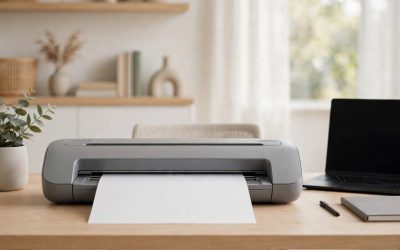
This guide compares five battery-ready portable printers that fit a laptop bag and print full letter-size pages. Every pick below is a true travel printer, not a shrunken desktop model, and every one connects over Wi-Fi or USB so a laptop or phone can print without a router nearby.
As an Amazon Associate, we earn from qualifying purchases.
Table of Contents
- Quick Answer
- HP OfficeJet 200 Mobile Printer
- Canon PIXMA TR160 Wireless Portable Printer
- Epson WorkForce WF-110 Wireless Mobile Printer
- Canon PIXMA TR150 Wireless Portable Printer
- Canon PIXMA iP110 Wireless Mobile Printer
- How to Choose
- Who Should Skip It
- Frequently Asked Questions
- Conclusion
- Product and ASIN Reference
Quick Answer
For most mobile workers, the HP OfficeJet 200 is the safest pick: a built-in battery, a 50-sheet tray, and the fastest black-text output here. The Canon PIXMA TR160 is the newest option, with a small OLED display and USB-C charging. The Epson WF-110 is the lightest at 3.5 pounds, while the Canon TR150 and iP110 cover the middle and budget slots.
HP OfficeJet 200 Mobile Printer

The HP OfficeJet 200 is the workhorse of this guide. It is the only pick here that ships with its rechargeable battery in the box, so there is no extra accessory to buy before the first trip. Open the lid, load up to 50 sheets, and print from a laptop or phone over Wi-Fi Direct, which means no router and no hotspot are needed. That matters in a client office where joining the local network is not an option.
Speed is the other reason this printer leads the guide. On AC power it prints up to 10 pages per minute in black, and on battery it still manages up to 9 pages per minute. Color output runs up to 7 pages per minute on AC and 6 on battery. Those numbers beat every other pick here, which makes the OfficeJet 200 the right choice for anyone who prints multi-page contracts or reports rather than a single boarding pass.
The trade-off is weight. At 4.85 pounds with the battery fitted, it is the heaviest printer in this guide, tied with the Canon TR150 and heavier than the 3.5-pound Epson WF-110. The body measures 14.3 by 7.32 by 2.7 inches, so it fits a laptop bag but leaves little room for anything else in the same sleeve. The 2.0-inch mono display shows status and settings without a phone, which is handy when the printer is the only device on the table.
Ink comes from two cartridges: one HP 62 black and one HP 62 tri-color. A two-cartridge system is simple to manage on the road, since there is only one color cartridge to carry as a spare. The duty cycle runs up to 500 pages per month, and the recommended monthly volume is 100 to 300 pages, which suits a founder or sales rep who prints daily but not in bulk. Setup runs through the HP Smart app, which handles the Wi-Fi Direct connection and walks through cartridge alignment, so the printer is usually ready within a few minutes of unboxing.
Specs
- Print technology: HP Thermal Inkjet
- Print resolution: up to 4800 x 1200 dpi color, 1200 x 1200 dpi black
- Print speed: up to 10 ppm black on AC power, 9 ppm on battery
- Paper capacity: 50 sheets
- Connectivity: USB 2.0, Wi-Fi, Wi-Fi Direct
- Display: 2.0 in mono graphic display
- Dimensions: 14.3 x 7.32 x 2.7 in
- Weight: 4.85 lb with battery
- Ink: HP 62 black and HP 62 tri-color
- Model: CZ993A
Canon PIXMA TR160 Wireless Portable Printer

The Canon PIXMA TR160 is the newest printer in this guide, and it shows in the details. A 1.44-inch OLED display lets the owner check ink levels and printer status at a glance, which the older Canon models in this guide cannot do. It also charges over USB-C, so the same cable that tops up a laptop can top up the printer, and a 10-minute boost charge powers about 36 pages when time is short.
On paper, the TR160 matches the TR150 almost exactly: 4800 x 1200 dpi resolution, 9 pages per minute in black, 5.5 pages per minute in color, and a 50-sheet rear tray. The body is the same size too, at 12.7 by 7.3 by 2.6 inches and 4.5 pounds without the battery. What the TR160 adds is the display, the USB-C charging, and a 5-color hybrid ink system that pairs a pigment black ink for sharp text with dye-based color inks for vivid photos and graphics.
The battery question needs care at checkout. The base listing for this printer ships without the LK-72 battery pack, which is sold separately, and a bundled version with the battery is a separate listing. With the battery fitted, the printer weighs 5.1 pounds and prints about 330 pages on a full charge. Without it, the TR160 is a compact AC-powered printer that still travels well but needs a wall outlet. Buyers who want true off-grid printing should confirm the battery is in the box before ordering.
Borderless printing is supported, and the printer handles letter and A4 sizes plus square and card sizes. Wi-Fi runs on both 2.4 GHz and 5 GHz bands, which helps in crowded offices where the 2.4 GHz band is congested. The duty cycle runs up to 500 pages per month. An anti-theft locking slot is built into the body, a small but useful detail for a printer that may sit unattended on a shared desk or in a co-working space.
Specs
- Print technology: inkjet, FINE print head
- Print resolution: up to 4800 x 1200 dpi
- Print speed: up to 9 ppm black, 5.5 ppm color
- Paper capacity: 50 sheets
- Connectivity: USB-C, Wi-Fi, Wi-Fi Direct
- Display: 1.44 in OLED
- Dimensions: 12.7 x 7.3 x 2.6 in
- Weight: 4.5 lb, 5.1 lb with LK-72 battery
- Ink: PGI-35 pigment black, CLI-36 color
- Battery: LK-72 optional, about 330 pages per charge
- Model: TR160
Epson WorkForce WF-110 Wireless Mobile Printer

The Epson WorkForce WF-110 is the lightest printer in this guide at 3.5 pounds, and it is the only one with its battery built in as standard. There is no optional battery to buy and no separate pack to clip on. It charges over USB or the AC adapter, and a 5-minute quick charge on the AC adapter powers up to 5 black-and-white pages, which is enough to rescue a meeting that is about to begin.
Resolution is the highest in this guide at 5760 x 1440 optimized dpi, and the 4-color MicroPiezo inkjet system uses one black cartridge and one tri-color cartridge. The 1.4-inch color LCD makes setup and status checks simple, and the printer works with Wi-Fi Direct plus the Epson iPrint app, so a phone can send a document without a laptop in the loop.
The compromises are speed and paper capacity. On AC power the WF-110 prints up to 6.7 pages per minute in black and 3.8 in color, and on battery those numbers drop to 3.5 and 2.0 pages per minute. That is the slowest battery output in this guide, so a long document takes noticeably longer away from an outlet. The input tray holds only 20 sheets, less than half the 50-sheet capacity of the HP and Canon picks, which means frequent refills on a heavy printing day.
Battery life is rated at 100 black-and-white pages or 50 color pages per charge, and an external accessory battery is available for buyers who need more. The printer handles paper up to 8.5 by 14 inches, so legal-size contracts are covered. For a traveler who values light weight above all else and prints in short bursts, the WF-110 is the easiest printer in this guide to carry. The small color screen also shows a low-ink warning early, which gives the owner time to find a cartridge before the next print job.
Specs
- Print technology: 4-color MicroPiezo inkjet
- Print resolution: up to 5760 x 1440 optimized dpi
- Print speed: up to 6.7 ppm black on AC power, 3.5 ppm on battery
- Paper capacity: 20 sheets
- Connectivity: Hi-Speed USB, Wi-Fi, Wi-Fi Direct
- Display: 1.4 in color LCD
- Weight: 3.5 lb
- Dimensions: not stated consistently across sources
- Ink: T215 black and tri-color
- Battery: built-in rechargeable, 100 black-and-white pages per charge
- Model: C11CH25201
Canon PIXMA TR150 Wireless Portable Printer

The Canon PIXMA TR150 is the proven middle pick in this guide. It has been on the market since 2020, and its listing record is the most settled of the Canon models here. The printer measures 12.7 by 7.3 by 2.6 inches and weighs 4.5 pounds, the same compact footprint as its newer TR160 sibling, and it prints at 4800 x 1200 dpi with a 50-sheet rear tray.
Print speed runs up to 9 pages per minute in black, matching the TR160 and sitting just behind the HP OfficeJet 200. Color output is handled by the same PGI-35 pigment black and CLI-36 color ink tanks used across the Canon portable line, which means ink bought for the TR150 also fits the TR160 and the iP110. That shared ink system is a quiet advantage for a small team that runs more than one Canon portable printer.
The TR150 connects over Wi-Fi and USB-C and works with voice assistants for hands-free printing, which is useful when the printer sits on a shelf across the room. Like the TR160, its battery is optional: the LK-72 battery pack is sold separately, so the base listing is an AC-powered printer until the buyer adds the pack. Buyers who need off-grid printing should add the battery to the order rather than assuming it is included.
What the TR150 gives up against the TR160 is the OLED display and USB-C charging. There is no screen on the TR150, so ink levels and status are checked from the phone or laptop instead. For buyers who do not need a display and want the lowest outlay for a current Canon portable printer, the TR150 is the sensible choice. Its long market history also means setup guides and troubleshooting help are easy to find, which matters when something goes wrong on the road.
Specs
- Print technology: inkjet, FINE print head
- Print resolution: up to 4800 x 1200 dpi
- Print speed: up to 9 ppm black
- Paper capacity: 50 sheets
- Connectivity: USB-C, Wi-Fi, Wi-Fi Direct
- Dimensions: 12.7 x 7.3 x 2.6 in
- Weight: 4.5 lb
- Ink: PGI-35 pigment black, CLI-36 color
- Battery: LK-72 optional, sold separately
- Model: TR150
Canon PIXMA iP110 Wireless Mobile Printer

The Canon PIXMA iP110 is the budget pick in this guide and the oldest model here, dating back to 2014. Age is not a flaw in this case: the iP110 still prints at up to 9600 x 2400 dpi, the highest color resolution figure in this guide, and it uses the same PGI-35 and CLI-36 ink tanks as the newer Canon portables. A buyer who already stocks those tanks can add the iP110 without buying into a new ink system.
The body is the familiar Canon portable shape at 12.7 by 7.3 by 2.5 inches and 4.3 pounds, the lightest Canon in this guide. It holds 50 sheets, prints borderless photos, and connects over Wi-Fi and USB with AirPrint support for Apple devices. The compact frame fits a laptop bag easily, and the printer has been a steady presence in the portable class for years.
The battery is the catch. The iP110 ships without a battery, and the LK-62 portable kit with the battery and attachment is sold separately. Without that kit, the iP110 is a small AC-powered printer rather than a true travel printer. Buyers should treat the battery kit as part of the real cost of this pick and confirm it is in the order before checkout.
There is also no display on the iP110, so status checks happen on the connected device. Print speed is not stated in the confirmed listing excerpt, so buyers who print long documents should expect modest output and plan accordingly. For light, occasional printing on the road, and for photo printing in particular, the iP110 remains a capable and affordable entry point. Its age also means the printer is widely understood by print shops and IT helpers, so finding a driver or a fix is rarely a problem.
Specs
- Print technology: inkjet, FINE print head
- Print resolution: up to 9600 x 2400 dpi
- Print speed: not stated in the confirmed excerpt
- Paper capacity: 50 sheets
- Connectivity: USB 2.0, Wi-Fi, AirPrint
- Dimensions: 12.7 x 7.3 x 2.5 in
- Weight: 4.3 lb
- Ink: PGI-35 pigment black, CLI-36 color
- Battery: LK-62 portable kit optional, sold separately
- Model: 9596B002
How to Choose
Battery setup comes first. Only the HP OfficeJet 200 and the Epson WF-110 ship with a battery in the box. The three Canon models all need an optional battery pack bought separately, which changes the real cost and the real weight. If the printer will be used away from outlets, confirm the battery is included before ordering, and check how many pages a full charge covers.
Weight comes second. The Epson WF-110 at 3.5 pounds is the easiest to carry, while the HP OfficeJet 200 at 4.85 pounds with its battery is the heaviest. A pound may not sound like much, but it matters when the printer shares a bag with a laptop, a charger, and a notebook. Measure the bag as well as the printer, since a 14-inch body plus a power brick fills a sleeve fast.
Speed comes third. Battery output is always slower than AC output, and the gap is wide: the Epson drops from 6.7 to 3.5 pages per minute in black on battery, while the HP drops only from 10 to 9. Buyers who print long documents away from an outlet should favor the HP. Buyers who print a few pages at a time can accept the slower Epson and enjoy the lighter bag.
Paper capacity comes fourth. Four of the five picks hold 50 sheets, while the Epson holds only 20. A 50-sheet tray covers a full meeting pack without a refill. A 20-sheet tray needs topping up during a long print run, so keep a spare stack of paper in the bag.
Ink system comes last. The three Canon models share the PGI-35 and CLI-36 tanks, which simplifies spares for a team that runs more than one Canon printer. The HP uses two HP 62 cartridges, and the Epson uses T215 cartridges. Check cartridge availability before committing, since a portable printer is only useful if its ink is easy to find.
Who Should Skip It
Anyone who prints mostly at a desk should skip a portable printer entirely. A desktop printer costs less per page, holds more paper, and prints faster, and it never needs charging. Portable printers trade capacity and speed for size, so they only make sense when the printing happens away from the desk.
Buyers who need to scan or copy on the road should also look elsewhere. None of the five picks in this guide scans or copies, since this guide covers print-only portable printers. A portable all-in-one with a scanner is a different product class with its own trade-offs in size and weight.
Heavy-volume users should skip this class too. Every printer here is rated for a duty cycle of up to 500 pages per month, and the recommended volume is lower still. A team that prints hundreds of pages a week needs a desktop machine, not a travel printer that refills every 20 to 50 sheets.
Finally, buyers who need color photos at gallery quality should temper expectations. These are business document printers first. They print good photos, especially the Canon models with their high color resolution, but a dedicated photo printer does a better job for prints that will be framed or sold.
Frequently Asked Questions
Do portable printers need a Wi-Fi network to print?
No. Every printer in this guide supports Wi-Fi Direct, which creates a direct connection between the printer and a laptop or phone. A router is not needed. USB is also available on all five picks for buyers who prefer a cable.
Is the battery included with these printers?
It depends on the model. The HP OfficeJet 200 and the Epson WF-110 ship with a battery in the box. The Canon TR150, TR160, and iP110 all need an optional battery pack bought separately, so check the listing carefully before ordering.
Can a portable printer print full letter-size pages?
Yes. All five picks print letter and A4 sizes, and the Epson WF-110 also handles legal size up to 8.5 by 14 inches. These are full-page document printers, not receipt or label printers.
How many pages can a portable printer print on one charge?
It varies widely. The Canon TR160 with its optional LK-72 battery prints about 330 pages on a full charge. The Epson WF-110 prints about 100 black-and-white pages on its built-in battery. The HP OfficeJet 200 does not publish a pages-per-charge figure, so its battery life is best judged by the size of the job at hand.
Conclusion
The best portable printer depends on how it will be used. The HP OfficeJet 200 is the strongest all-round pick, with a battery in the box, the fastest black-text output, and a 50-sheet tray. The Canon PIXMA TR160 is the newest option, adding an OLED display and USB-C charging to the proven Canon formula. The Epson WorkForce WF-110 is the lightest pick and the easiest to carry, trading speed and tray capacity for portability. The Canon TR150 covers the middle ground with a settled listing record, and the Canon iP110 is the budget entry point for light printing and photos. Pick the one that matches the bag, the battery needs, and the volume of printing ahead, and confirm the battery is included before checkout. Check the listing twice when the battery is optional, since the printer-only and battery-bundle listings look nearly identical.
Product and ASIN Reference
| Product | ASIN | Value group |
|---|---|---|
| HP OfficeJet 200 Mobile Printer | B01HGD8T9M | premium |
| Canon PIXMA TR160 Wireless Portable Printer | B0F1Z1VLV6 | premium |
| Epson WorkForce WF-110 Wireless Mobile Printer | B07X6WFH4B | mid-range |
| Canon PIXMA TR150 Wireless Portable Printer | B085VMW9YD | mid-range |
| Canon PIXMA iP110 Wireless Mobile Printer | B00NV9LL9Q | budget |