Our Short List of 3

- Functions: print, scan, copy
- Print media: card stock, envelopes, glossy photo paper, high-resolution paper, plain paper
- Sheet sizes: from 3.5 by 3.5 inches up to 8.5 by 14 inches, U.S. number 10 envelopes, custom sizes
- Ink system: refillable MegaTank bottles, GI-21 pigment black, cyan, magenta, yellow

- Functions: print, scan, copy
- Print media: card stock, envelopes, glossy photo paper, labels, plain paper
- Maximum media size: 8.5 by 14 inches
- Features: separate photo tray, auto document feeder, automatic two-sided printing

- Functions: print, scan, copy
- Print media: card stock, envelopes, glossy photo paper, high-resolution paper, labels, plain paper
- Ink: PG-295 black and CL-286 colour starter tanks included
- Features: automatic two-sided printing, compact design
All 4 Picks at a Glance
| Product | Specs | Action |
|---|---|---|
| 1. Canon MegaTank G3270 — Best for Long Invitation Runs |
| Check price on Amazon |
| 2. HP ENVY Inspire 7955e — Best for Photo-Led Invitation Designs |
| Check price on Amazon |
| 3. Canon PIXMA TS4320 — Best Compact Pick for Smaller Batches |
| Check price on Amazon |
 4. Canon PIXMA TS9521Ca — Best for Oversized and Craft Invitation Formats |
| Check price on Amazon |
Key takeaways
- Compare the best printers for invitations, with card stock handling, envelope sizes, borderless colour and refillable ink for wedding and party suites.
As an Amazon Associate we earn from qualifying purchases.
Printing your own invitations looks simple until the first sheet of thick card stock bends, jams, or comes out with faded colour and smeared ink. Invitations are not ordinary documents. They combine heavy paper, rich colour, fine lettering, matching envelopes, and often a whole suite of extra pieces such as reply cards, directions cards, and thank-you notes. A printer that handles everyday office paper well can still struggle with that mix, which is why the best printers for invitations are the ones whose makers state card stock support on the product page, feed envelopes cleanly, and hold colour steady across a long run of identical cards.
This guide compares four printers sold on Amazon US that fit invitation work in different ways. One is a refillable tank model for long runs, one is a photo-focused all-in-one with a separate photo tray, one is a compact and simple option for smaller batches, and one is a crafting printer that accepts wide sheets up to 12 by 12 inches for oversized designs. Every model below is a colour inkjet, because inkjet printing handles card stock, textured finishes, and photographic artwork in a way that suits invitation design. Match a model to the size of your guest list and the weight of the stock you plan to use.
Disclosure: This article contains affiliate links. If you buy through these links, we may earn a commission at no additional cost to you.
How to Choose a Printer for Invitations
Start with card stock support, stated on the page
The single most important check is whether the product page lists card stock among the supported print media. That one line tells you the paper path and feed rollers were designed with thicker sheets in mind. Three of the four printers in this guide state card stock in their Amazon product information, alongside envelopes and glossy photo paper. If a listing only names plain paper, treat heavy invitation stock as a risk, however good the printer looks otherwise. Also check the sheet sizes the page lists: invitation suites commonly use 5 by 7 inch cards, A7 envelopes, and U.S. number 10 envelopes, so a printer that lists those sizes by name removes guesswork at setup time.
Prefer a rear or straight feed path for thick sheets
Thick card follows a gentler path in some printers than in others. Models with a rear tray or a rear feed slot let a stiff sheet travel with less bending, which reduces curling and misfeeds. Front cassettes work well for moderate stock and for plain paper, and they keep paper dust-free between sessions. For a wedding run of a hundred or more suites, feed a few sheets at a time rather than filling the tray, set the paper type to card stock or matte paper in the driver so the printer adjusts its feed and ink laydown, and let each sheet rest flat for a short while before stacking, so the ink surface sets fully.
Match the ink system to your run length
Invitation printing uses more colour ink than everyday documents, because designs often carry full-bleed backgrounds, watercolour washes, and photographs. Refillable tank printers carry a large volume of ink in bottles and suit long runs and repeated projects. Cartridge models replace ink one colour at a time on several of the picks below, which helps when one shade runs low mid-run: a design heavy on blush pink or sage green can drain a single colour faster than the rest. Whichever system you choose, print a proof sheet first, check the colours against your screen under daylight, and only then start the full batch.
Check envelope handling and duplex printing
A finished invitation goes into an envelope, so envelope support is part of the job, not an extra. All four printers here list envelopes among their supported media, and the crafting model lists U.S. number 10 envelopes among its sheet sizes. Automatic two-sided printing, included on the HP and the two smaller Canon models below, helps with double-sided invitation designs and with inserts such as directions cards, cutting paper handling in half. Borderless printing matters too when a design runs colour to the very edge of the card; the models below support borderless output on their listed photo and card sizes, which removes the white frame that makes a home-printed invitation look unfinished.
The 4 Best Printers for Invitations
1. Canon MegaTank G3270 — Best for Long Invitation Runs
- Functions: print, scan, copy
- Print media: card stock, envelopes, glossy photo paper, high-resolution paper, plain paper
- Sheet sizes: from 3.5 by 3.5 inches up to 8.5 by 14 inches, U.S. number 10 envelopes, custom sizes
- Ink system: refillable MegaTank bottles, GI-21 pigment black, cyan, magenta, yellow
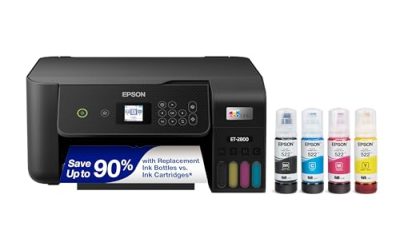
The Canon MegaTank G3270 is the workhorse pick for anyone printing a full wedding or large party suite at home. Its Amazon product information lists card stock among its supported print media, together with envelopes, glossy photo paper, and high-resolution paper, and its sheet sizes run from 3.5 by 3.5 inch squares through 5 by 7 inch cards and letter size, up to legal size at 8.5 by 14 inches, plus U.S. number 10 envelopes and custom sizes. That range covers the standard invitation formats without workarounds.
The MegaTank name refers to its refillable ink tank system. Instead of cartridges, the G3270 fills from ink bottles — the box includes a set of GI-21 bottles in pigment black, cyan, magenta, and yellow, along with print heads, documentation, and a power cord. For invitation work, that matters in two ways. First, a long run of colour-heavy cards does not stop midway for a cartridge change. Second, refilling a single colour is straightforward when a design leans heavily on one shade. The printer handles printing, scanning, and copying, so you can scan a hand-lettered design or a piece of artwork and bring it into your layout without extra hardware.
Wireless printing is built in, with mobile printing support, so designs can be sent from a laptop, tablet, or phone as you adjust them.
Choose the G3270 if your guest list is long, or if you expect to print matching pieces over several weeks. For volume and stated card stock support together, this is the strongest combination in the group.
Key specifications from the product page:
2. HP ENVY Inspire 7955e — Best for Photo-Led Invitation Designs
- Functions: print, scan, copy
- Print media: card stock, envelopes, glossy photo paper, labels, plain paper
- Maximum media size: 8.5 by 14 inches
- Features: separate photo tray, auto document feeder, automatic two-sided printing
The HP ENVY Inspire 7955e suits invitations built around a photograph — an engagement portrait on the front, a family photo on a holiday invitation, or a picture carried through the whole suite. Its Amazon product information lists card stock among its print media, along with envelopes, glossy photo paper, labels, and plain paper, and its stated features include a separate photo tray, an auto document feeder, automatic two-sided printing, and advanced photo features.
The separate photo tray is more useful for invitations than it first sounds. It lets you keep photo paper or a stack of card loaded and ready alongside plain paper, so switching between a proof on plain stock and the real run on card takes seconds rather than a tray swap. Automatic two-sided printing handles double-sided designs cleanly, printing the back of each card in register with the front, which matters when a design carries a pattern or a second photograph on the reverse.
Setup and day-to-day use lean on wireless and mobile printing, with a customisable touchscreen for shortcuts. The box includes the printer, setup black and tri-colour cartridges, a power cord, and guides.
Choose the 7955e if your invitation design is photographic, if you want a dedicated tray for your card or photo stock, or if double-sided cards are part of the plan. If your run is very long and ink volume is the priority, the MegaTank model above carries more ink per fill; if your design is a wide or oversized format, look at the crafting Canon below instead.
Key specifications from the product page:
3. Canon PIXMA TS4320 — Best Compact Pick for Smaller Batches
- Functions: print, scan, copy
- Print media: card stock, envelopes, glossy photo paper, high-resolution paper, labels, plain paper
- Ink: PG-295 black and CL-286 colour starter tanks included
- Features: automatic two-sided printing, compact design
Not every invitation project is a two-hundred-guest wedding. For a birthday, a baby shower, a graduation party, or a small ceremony, the Canon PIXMA TS4320 covers the essentials in a compact body. Its Amazon product information lists card stock among its print media, with envelopes, glossy photo paper, high-resolution paper, labels, and plain paper, and the listing is sold and shipped by Amazon.com. It provides printing, scanning, and copying, automatic two-sided printing, and wireless connectivity over Wi-Fi and USB.
The starter set in the box pairs a PG-295 black tank with a CL-286 colour tank, alongside the printer, power cord, and setup documentation. Two-sided printing is the feature that lifts this compact model for invitation work: a double-sided card design, or a folded insert, prints in one pass per sheet without manual flipping and re-feeding, which keeps registration consistent across a batch. The compact design also suits a small desk or a shared home office where a larger machine would crowd out the space you need for cutting, stacking, and addressing.
Colour output is the heart of invitation printing, and a wireless colour inkjet like this one handles illustrated designs, watercolour effects, and photographs at the sizes most home suites use. Load card stock in small stacks, select the matching paper type in the driver, and proof one full suite — invitation, reply card, and addressed envelope — before running the batch, as with any model here.
Choose the TS4320 if your batch is modest, your desk space is tight, or invitations are an occasional project rather than a season-long one. For very long runs, the refillable G3270 above will need less attention to ink levels; for oversized sheets, the crafting model below is the one that fits.
Key specifications from the product page:
4. Canon PIXMA TS9521Ca — Best for Oversized and Craft Invitation Formats
- Functions: print, scan, copy
- Sheet sizes: from 3.5 by 3.5 inches up to 11 by 17 inches and 12 by 12 inches, U.S. number 10 envelopes
- Model: PIXMA TS9521Ca, model number 2988C052
- Positioning: wireless home all-in-one designed for crafting projects
The Canon PIXMA TS9521Ca is the specialist in this group: a wireless all-in-one built for home crafting, whose sheet sizes go beyond the standard invitation formats. Its Amazon product information lists sizes from 3.5 by 3.5 inches through 5 by 7 inches and letter, and on up to 11 by 17 inches and 12 by 12 inches, plus legal size and U.S. number 10 envelopes. That 12 by 12 inch support opens up scrapbook-format invitations, square designs that smaller printers cannot feed, and large proof sheets that show a whole suite at full size.
Canon positions this model for home use with high-quality output and wireless connectivity, and it prints, scans, and copies. Its wide format support is handy when invitation artwork starts on paper — a painted motif or a piece of calligraphy can be scanned at a generous size and placed into the design without stitching images together.
One honest note on media: this model’s Amazon information emphasises its wide sheet sizes and envelope support, while the clearest card stock statements in this guide belong to the three models above. If your invitation stock is especially thick, proof a few sheets first and use the rear feed where the design allows, as you should with any printer. For wide, square, or scrapbook-style invitation formats, though, nothing else in this group accepts the sheet in the first place, and that makes the TS9521Ca the right tool for that particular job.
Choose the TS9521Ca if your design is oversized, square, or built around 12 by 12 inch craft card, or if you want one machine that covers invitations and a wider craft practice. For standard 5 by 7 inch suites in long runs, the MegaTank remains the more economical shape of printer to run.
Key specifications from the product page:
Comparison Table
| Printer | ASIN | Ink system | Card stock stated on Amazon page | Largest sheet listed | Two-sided printing | Best for |
|---|---|---|---|---|---|---|
| Canon MegaTank G3270 | B0BSMSYM9N | Refillable tank bottles | Yes | 8.5 x 14 in | Check listing | Long runs and full suites |
| HP ENVY Inspire 7955e | B09BBLN72F | Cartridges | Yes | 8.5 x 14 in | Yes, automatic | Photo-led designs |
| Canon PIXMA TS4320 | B0FMBGXC2C | Two starter tanks | Yes | Letter class | Yes, automatic | Small batches, small desks |
| Canon PIXMA TS9521Ca | B0CX69SZMB | Individual ink system | Craft model; wide sizes stated | 12 x 12 in | Check listing | Oversized and square formats |
Frequently Asked Questions
What paper weight should I use for invitations?
Start with the stock your chosen printer states it supports, and proof before buying in bulk. Many home invitation suites use card in the range sold as medium card stock, which the models above that list card stock are built to feed. Very heavy or textured stock is the most common cause of misfeeds, so if your design calls for it, feed single sheets, use a rear feed where available, and expect a slower, more practical run.
Can these printers print on envelopes too?
Yes. Each model in this guide lists envelopes among its supported media or sheet sizes, including U.S. number 10 envelopes on the Canon models. Print addresses directly for a finished look, and run one test envelope first to confirm the flap orientation and the feed direction before addressing the whole stack.
Should I choose a tank printer or a cartridge printer for a wedding?
For a large guest list, a refillable tank model such as the MegaTank G3270 reduces mid-run interruptions, because the ink volume on hand is larger and refills are quick. For a smaller event, a cartridge model is perfectly workable; models that replace colours individually help when one shade dominates your design. Either way, order ink for the full run before you start, so a colour cannot run out halfway through a matched suite.
How do I stop colours looking different from my screen?
Print a single proof card and view it in daylight, not under a warm lamp. Screens show light; paper shows reflected colour, so deep tones often print slightly darker. Adjust the design file, set the driver paper type to match the stock you loaded, and use the printer’s photo or high-quality setting for photographic designs. Once the proof looks right, keep every setting unchanged for the whole batch.
Can I print double-sided invitations at home?
Yes, with the models here that include automatic two-sided printing — the HP ENVY Inspire 7955e and the Canon PIXMA TS4320 state it in their product information. Automatic duplexing keeps the front and back in register. Leave each finished sheet to set briefly before stacking, so the second side’s ink does not mark the card beneath it.
Conclusion
The best printer for invitations is the one whose product page backs up the paper you actually plan to use. For long runs and full wedding suites, the Canon MegaTank G3270 pairs stated card stock support with a refillable ink system that keeps a big batch moving. For photographic designs, the HP ENVY Inspire 7955e adds a separate photo tray and automatic two-sided printing. For smaller celebrations and smaller desks, the Canon PIXMA TS4320 covers card stock, envelopes, and duplex printing in a compact body. And for oversized, square, or scrapbook-format designs, the Canon PIXMA TS9521Ca is the only pick here that accepts 12 by 12 inch sheets. Proof one complete suite on your chosen stock before the full run, and any of the four will turn a design file into invitations you can post with confidence.