Key takeaways
- Move files faster with the best external SSDs for home office work, comparing transfer speeds, capacity, durability, encryption, and USB-C compatibility.
An external SSD changes how a home office feels day to day. Backups that took an evening finish over coffee, photo and video libraries open where they sit instead of being copied to internal storage first, and a full working drive can move between a desktop and a laptop in seconds. For anyone whose work involves large files, the speed difference over a spinning hard drive is not a luxury; it is time returned, several times a day.
All five drives below are pocket-size, bus-powered over USB-C, and sold in a 2TB capacity that suits office work well. They split into two speed classes: models that top out around 1,050 megabytes per second on the common USB 3.2 Gen 2 connection, and faster models that reach roughly 2,000 megabytes per second on computers with a USB 3.2 Gen 2×2 port. The buying notes explain which class your computer can actually use, because that detail decides which drive deserves your money.
As an Amazon Associate, we earn from qualifying purchases.
Quick Answer
The Samsung T7 Shield 2TB is the best fit for most home offices, with fast Gen 2 speeds, an IP65-rated rugged shell, and drop protection. Choose the Samsung T9 or Crucial X10 Pro if your computer has a USB 3.2 Gen 2×2 port and you move huge files daily, and the WD My Passport SSD if password-protected hardware encryption matters most.
How to Choose
Check your computer’s USB ports before anything else. A USB 3.2 Gen 2 port, the kind fitted to most recent laptops, delivers up to 10 gigabits per second, which caps real transfers around 1,050 megabytes per second. The faster drives in this guide need a USB 3.2 Gen 2×2 port, capable of 20 gigabits per second, to reach their headline speeds; that port is common on recent Windows desktops but absent from Macs, which use Thunderbolt instead and will run those drives at Gen 2 speeds. Buying a 2,000 megabyte per second drive for a computer that cannot feed it wastes the premium.
Capacity is simpler. One terabyte fills quickly once video, photos, or virtual machines are involved, so 2TB is the practical choice for a working drive, with 4TB reserved for media professionals. All five drives here are compared at 2TB so the speed and durability differences stay in focus.
Durability matters because these drives travel. Look for a stated drop rating and, for bags and job sites, an IP rating against dust and water. A rubberized or rugged model shrugs off the knocks that a slim metal drive would rather avoid. None has moving parts, so all tolerate movement better than a hard drive, but the rated models add real margin.
Finally, consider security and extras. Hardware encryption with password protection keeps client data safe if the drive is lost. Included cables matter too: a USB-C to USB-A adapter or second cable keeps the drive useful with older computers, and bundled software can simplify a backup routine.
Samsung T9 Portable SSD 2TB

The T9 is Samsung’s fastest portable drive, rated for sequential read and write speeds up to 2,000 megabytes per second over USB 3.2 Gen 2×2. On a Windows desktop with the matching port, moving a 50-gigabyte project folder takes well under a minute, and the drive sustains its pace better than earlier generations thanks to its improved thermal design.
That shell also protects the drive, with drop resistance rated up to three meters, and the T9 supports AES 256-bit hardware encryption with password protection through Samsung’s software. It is compact and light at about 122 grams, ships with both USB-C to C and USB-C to A cables, and works with Windows, Mac, Android devices, and game consoles. This 2TB black model, MU-PG2T0B/AM, only makes sense if your computer has a Gen 2×2 port; otherwise the T7 Shield below delivers the same real-world speed for that machine.
Specs
| Spec | Detail |
|---|---|
| Capacity | 2TB |
| Model | MU-PG2T0B/AM |
| Interface | USB 3.2 Gen 2×2 |
| Top speed | Up to 2,000 MB/s |
Samsung T7 Shield Portable SSD 2TB
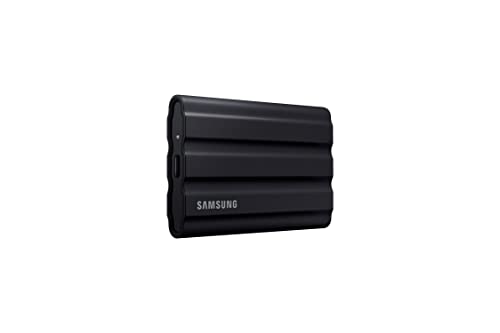
The T7 Shield wraps Samsung’s proven T7 platform in a rugged elastomer shell with an IP65 rating against dust and water jets, plus drop protection up to three meters. Inside, it delivers read speeds up to 1,050 megabytes per second and write speeds up to 1,000 over USB 3.2 Gen 2, which is the fastest connection most current laptops offer, so nearly every buyer gets its full performance.
For home office use that combination is hard to beat. The drive survives being tossed in a bag, knocked off a desk, or caught in rain between buildings, and it is small enough to live permanently in a laptop sleeve. Password protection with AES 256-bit encryption is available through Samsung’s software for Windows and Mac. This 2TB black version, MU-PE2T0S/AM, is the drive to choose when the SSD will work both at the desk and on the road, and it is the guide’s default recommendation for most people.
Specs
| Spec | Detail |
|---|---|
| Capacity | 2TB |
| Model | MU-PE2T0S/AM |
| Interface | USB 3.2 Gen 2 |
| Protection | IP65, drop resistant to 3 meters |
SanDisk Extreme Portable SSD 2TB
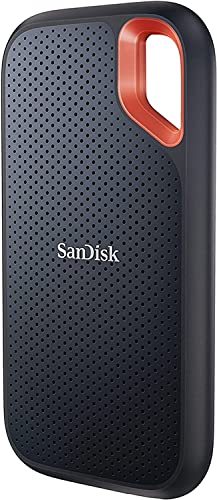
SanDisk’s Extreme Portable SSD matches the T7 Shield’s formula closely: up to 1,050 megabytes per second read and 1,000 write over USB 3.2 Gen 2, an IP65 rating, and drop protection up to three meters, in a compact body with a carabiner loop for clipping to a bag.
Password protection with 256-bit AES hardware encryption is built in, managed through SanDisk’s software. The drive’s textured, pocketable shape makes it easy to carry daily, and the included cable covers USB-C connections with an adapter for USB-A ports. This 2TB model, SDSSDE61-2T00-G25, is the natural cross-shop against the Samsung T7 Shield; the practical differences are the loop and the software.
Specs
| Spec | Detail |
|---|---|
| Capacity | 2TB |
| Model | SDSSDE61-2T00-G25 |
| Interface | USB 3.2 Gen 2 |
| Protection | IP65, drop resistant to 3 meters |
Crucial X10 Pro Portable SSD 2TB
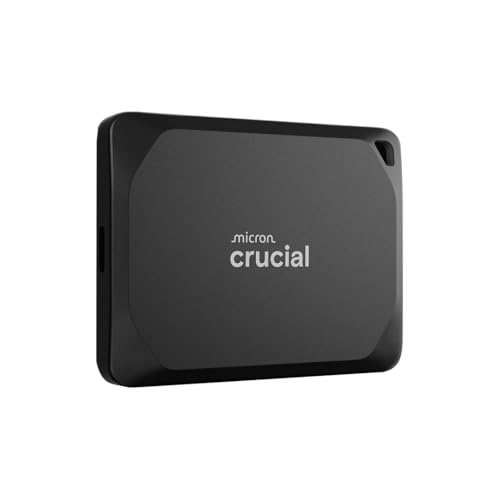
The X10 Pro is Crucial’s answer to the Samsung T9, and on paper it edges ahead: read speeds up to 2,100 megabytes per second and writes up to 2,000 over USB 3.2 Gen 2×2. It is also one of the smallest drives in this class, with an anodized aluminum body, a lanyard hole, and a weight that disappears into a pocket or cable pouch.
Durability is rated rather than implied, with IP65 dust and water resistance and drop protection up to two meters. This 2TB black model, CT2000X10PROSSD902, shares the T9’s one big caveat: its headline speeds require a Gen 2×2 port, found mainly on Windows desktops and some laptops. On a Gen 2 port it performs like the other 10-gigabit drives here, which is still fast, but the premium only pays off on the right computer.
Specs
| Spec | Detail |
|---|---|
| Capacity | 2TB |
| Model | CT2000X10PROSSD902 |
| Interface | USB 3.2 Gen 2×2 |
| Top speed | Up to 2,100 MB/s read |
WD My Passport SSD 2TB

WD’s My Passport SSD is the security-focused option in this group. Its headline feature is password protection backed by 256-bit AES hardware encryption, set up through WD’s software, which makes it a comfortable place for client files, financial records, and anything else that should stay unreadable if the drive is lost.
Performance sits in the Gen 2 class: read speeds up to 1,050 megabytes per second and writes up to 1,000 over USB 3.2 Gen 2, fast enough for working directly from the drive with documents, photos, and moderate video projects. The slim metal-topped body is drop resistant up to about 6.5 feet, and the box includes a USB-C cable plus a USB-A adapter for older computers. This 2TB blue version, WDBAGF0020BBL-WESN, also works with WD’s backup software on Windows. Choose it when encryption and a familiar backup routine matter more than the last increment of speed.
Specs
| Spec | Detail |
|---|---|
| Capacity | 2TB |
| Model | WDBAGF0020BBL-WESN |
| Interface | USB 3.2 Gen 2 |
| Encryption | 256-bit AES hardware encryption |
Who Should Skip It
Skip the premium Gen 2×2 drives if your computer has no matching port, because you will pay for speed you cannot use; check your port specifications first, especially on Macs, where those drives run at Gen 2 speeds. Skip an external SSD entirely if you only need cold backup storage for archives, since a hard drive stores far more for the same money. And if your files are small documents that sync happily to cloud storage, a 2TB SSD is more capacity and speed than your workflow will ever touch.
FAQ
Will a USB 3.2 Gen 2×2 drive work with my Mac?
Yes, but not at full speed. Macs do not include Gen 2×2 ports, so a drive like the Samsung T9 or Crucial X10 Pro runs at USB 3.2 Gen 2 speeds, around 1,050 megabytes per second, over its USB-C connection. It remains fully usable for storage and backups; you simply should not pay the premium expecting 2,000 megabyte per second transfers.
How fast are these drives in real use?
Expect large, sequential transfers to approach the rated speeds on the right port, and noticeably lower figures for folders full of tiny files, which is normal for every drive. Sustained writes on very long transfers can also slow as the drive’s cache fills. For office documents, photos, and backups, even the Gen 2 models feel instant next to a hard drive.
Can I work directly from an external SSD?
Yes, and that is one of its best uses. Video editors, photographers, and developers routinely keep active projects on drives like these. Just keep a separate backup, because a working drive that is also your only copy is a single point of failure, and eject the drive properly before unplugging it.
Do these SSDs need a power adapter?
No. All five drives are bus-powered through the USB cable and work with laptops, desktops, and most tablets without any additional power supply. Use the cable included in the box where possible, since a low-quality substitute cable can limit the connection to slower USB speeds.
Final Verdict
Match the drive to your ports first. On the Gen 2 connections most laptops have, the Samsung T7 Shield and SanDisk Extreme Portable SSD deliver full speed with rugged, travel-ready shells, and the WD My Passport SSD adds the strongest encryption story. On a Gen 2×2 Windows machine, the Samsung T9 and Crucial X10 Pro roughly double transfer speeds for large files. Any of the five will make a home office feel faster; the right one depends on your computer and how far the drive travels.